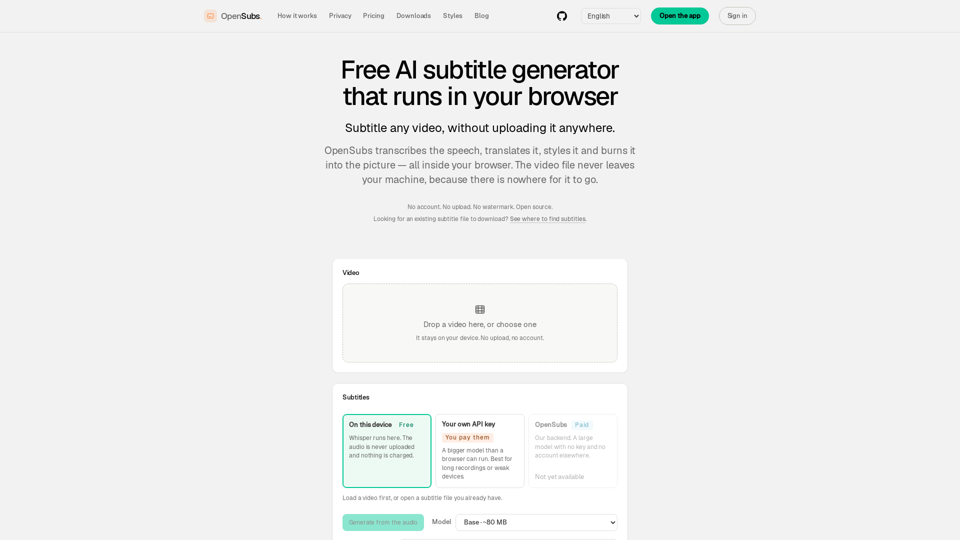
Overview
OpenSubs is a powerful, privacy-focused, and open-source AI subtitle generator that operates entirely within your browser. By leveraging WebAssembly and local machine processing, it allows users to transcribe, translate, style, and burn subtitles into videos without ever uploading files to a server.
-
Main Purpose and Target User Group
- Content Creators: Need to add professional-looking captions to social media videos without privacy risks.
- Privacy-Conscious Users: Prefer to keep sensitive or proprietary video footage on their own devices.
- Developers: Require a consistent, open-source engine for scripting, CI/CD pipelines, or custom subtitle workflows.
-
Function Details and Operations
- Local AI Transcription: Utilizes the Whisper model (running via WebGPU/WebAssembly) to transcribe audio directly on your machine.
- Multi-Language Translation: Supports translation into 20+ languages, including Chinese, Japanese, Korean, Spanish, and more.
- Advanced Styling: Offers 12 customizable presets, including dynamic word-by-word highlighting and broadcast-quality captions.
- Video Burning: Exports finished MP4 files with hardcoded subtitles using WebCodecs, or generates standard subtitle files (.srt, .vtt, .ass).
- Flexible Processing: Allows users to bring their own API keys (Claude, OpenAI, DeepL) for advanced translation or use the platform’s credit-based backend.
-
User Benefits
- Total Privacy: Since no video is ever uploaded, there is zero risk of data leaks or unauthorized access to your footage.
- Zero Watermarks: OpenSubs does not brand your videos.
- Cost-Effective: All local processing is free forever.
- No Account Required: Users can access the full suite of local tools without signing up or logging in.
-
Compatibility and Integration
- Browser-Based: Works directly in modern web browsers (Chrome, Edge, Firefox) without needing software installation.
- Cross-Platform Apps: Offers a dedicated desktop application for macOS, Windows, and Linux for handling long files or batch processing.
- CLI Support: Provides a command-line interface for advanced users, scripting, and automated workflows.
- Browser Extension: A companion extension is available to generate subtitles for videos playing in your browser tabs in real-time.
-
Access and Activation Method
- Web Access: Visit the official website to start using the browser-based tool immediately.
- Desktop/CLI: Download the latest release candidates from the official website or build from the source code available on GitHub.
- API Integration: Users can optionally input their own API keys directly into the browser interface to enable advanced cloud translation features.