• Free Tools
  • Free AI Image Editor: Change Photo Objects and Transform Any Image

    Edit images with plain-language prompts using Artiverse AI's free AI image editor. Upload a photo, explain what to add, remove, replace, recolor, restyle, or redesign, and create polished portraits, product photos, ads, social posts, and campaign visuals without signup.

    • 100% free
    • No signup required
    • Unlimited
    Free AI Image Editor
    Prompt
    Image
    Ratio
    Validation
    Begin Your AI Creation Journey
    Image History
    Begin Your AI Creation Journey

    See What the Free AI Image Editor Can Change

    Compare original portraits and product photos with edited results. The free AI image changer preserves the main subject while rebuilding outfits, backgrounds, colors, objects, and advertising scenes.

    Portrait Background and Outfit Changes

    Turn a casual portrait into a polished creator or advertising visual while preserving the person's face, pose, denim jacket, proportions, and natural details.
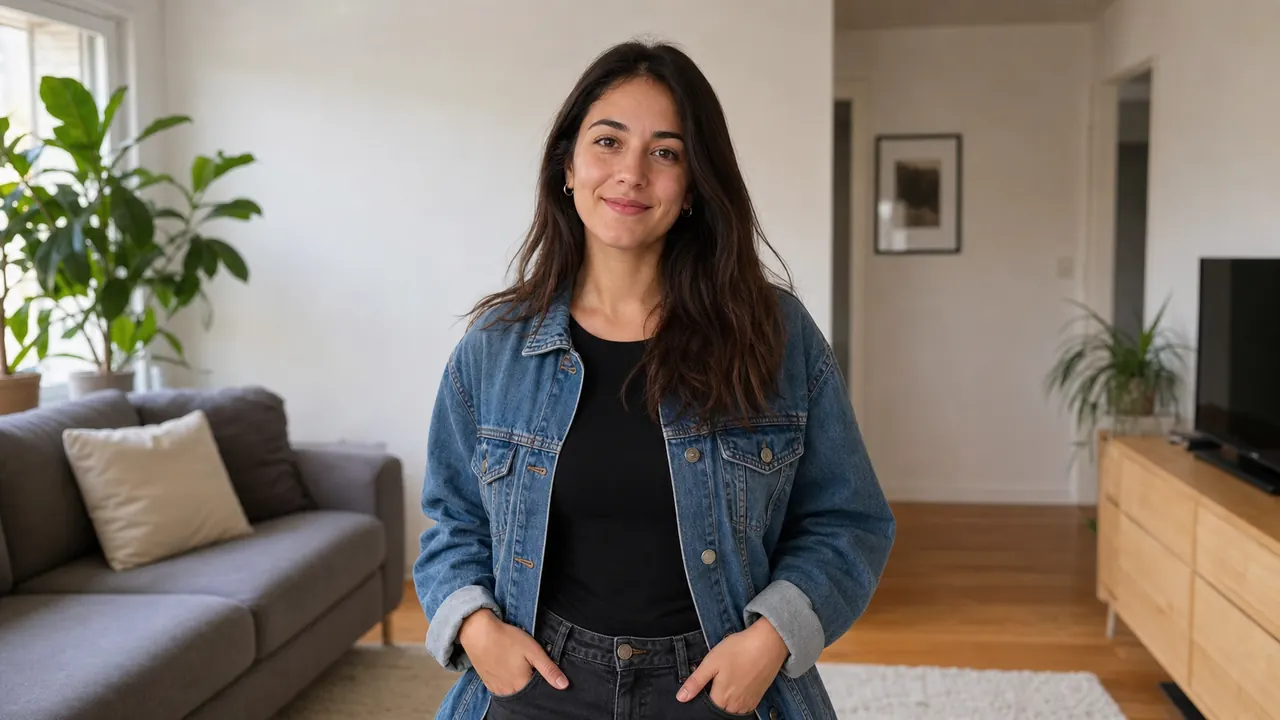
    Original portrait in a neutral living room before AI editingBefore

    Original portrait in a neutral living room before AI editing
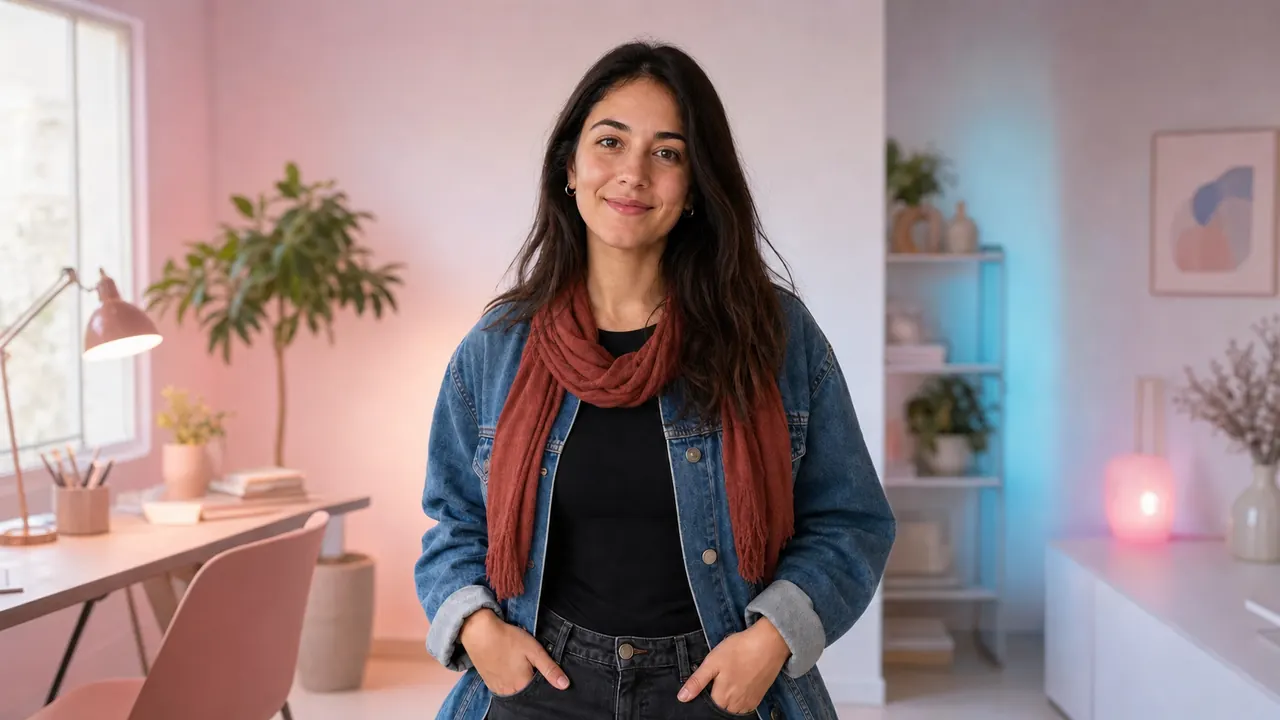
    AI-edited portrait with a creative studio background, warm scarf, and advertising-ready lightingAfter

    AI-edited portrait with a creative studio background, warm scarf, and advertising-ready lighting
    Product Color and Lifestyle Advertising Edits

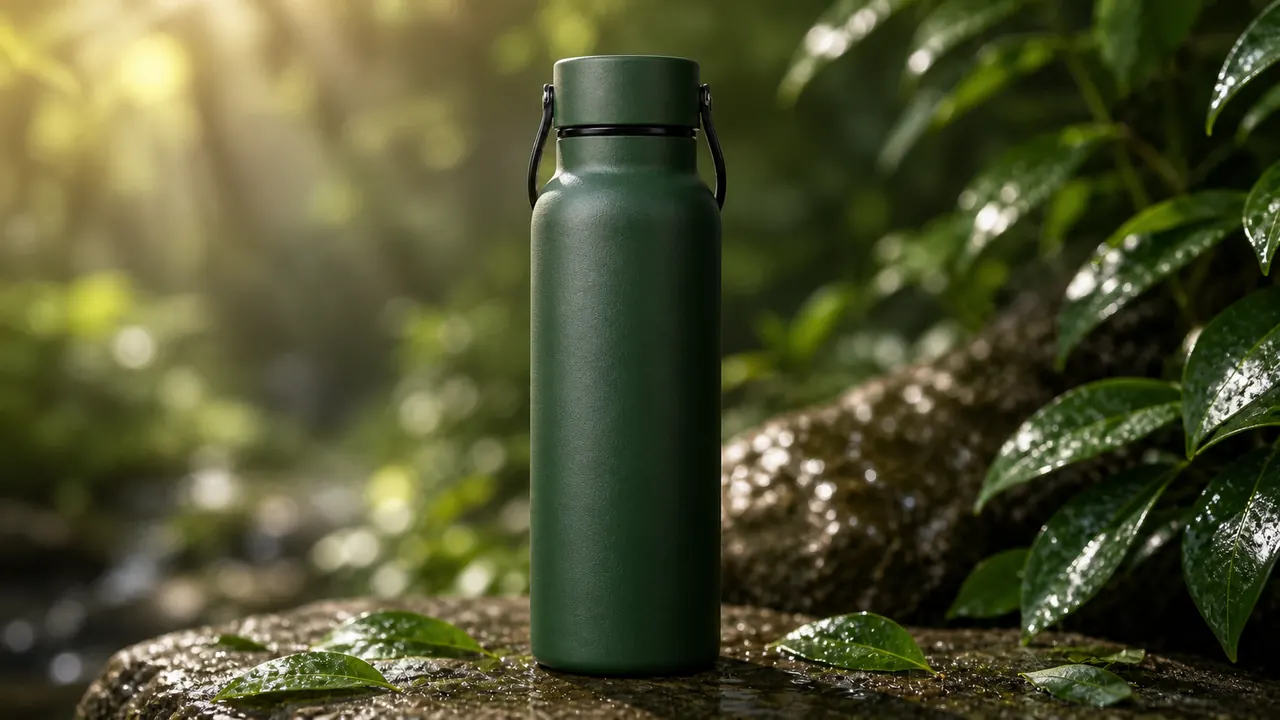
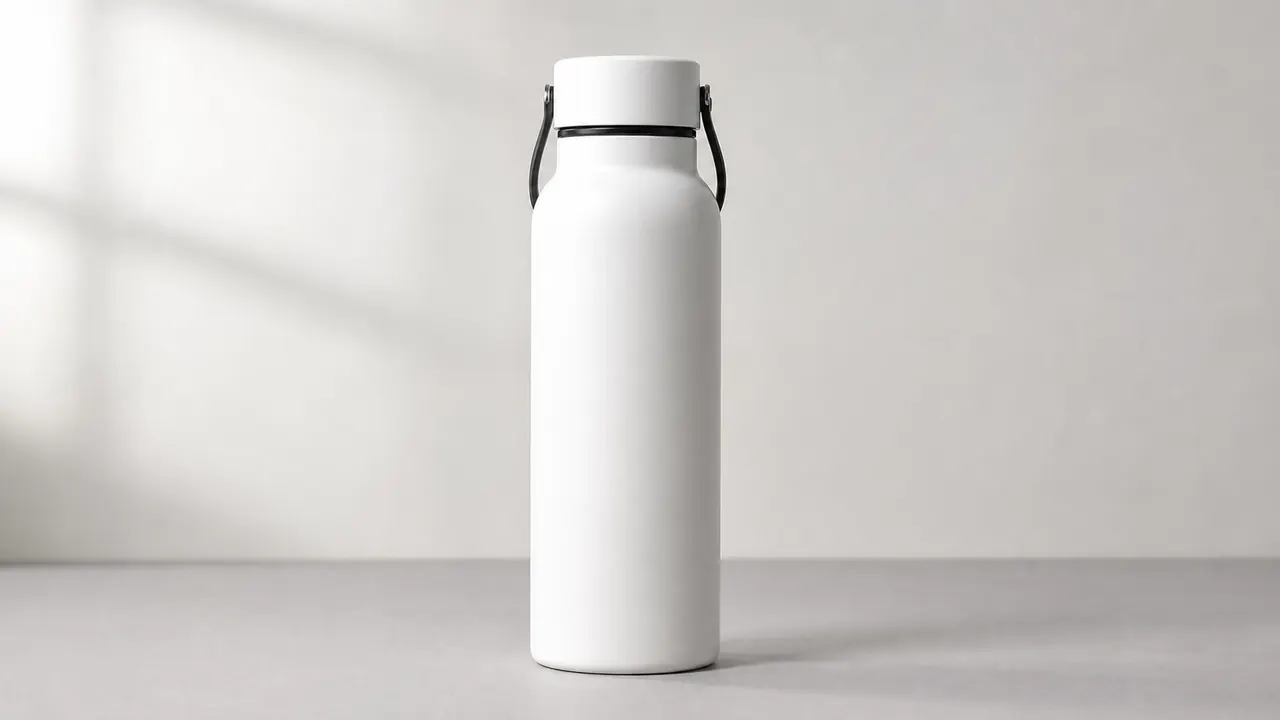
    Transform a plain product photo into a premium lifestyle advertisement while keeping the bottle shape, cap, handle, proportions, and recognizable product details consistent.

    Original white bottle on a plain studio surface before AI editingBefore

    Original white bottle on a plain studio surface before AI editing

    AI-edited forest-green bottle in a premium outdoor lifestyle advertising sceneAfter

    AI-edited forest-green bottle in a premium outdoor lifestyle advertising scene

    Powerful Free AI Image Editing Features

    Make targeted photo changes or rethink an entire visual. This free image editor combines reference-image understanding with natural-language instructions for fast, flexible creative work.

    Change Photo Objects with a Prompt

    Replace clothing, furniture, products, props, signs, accessories, skies, or other objects by describing the new item and how it should fit the original lighting and composition.

    Preserve People and Important Details

    Keep the central person, pose, expression, product shape, or composition recognizable while changing selected parts of the image around them.

    Redesign Backgrounds, Colors, and Styles

    Move a subject into a new environment, create a cleaner product backdrop, shift a campaign palette, or transform a photo into editorial, cinematic, illustrated, or commercial art.

    Use Up to Five Reference Images

    Upload multiple references to combine a subject, product, palette, outfit, scene, or art direction into one more controlled editing request.

    Why Use Artiverse AI's Free Image Changer

    Move from a source photo to a production-ready idea without complicated layers or manual masking. The editor is designed for quick experiments, useful revisions, and visually consistent results.

    Edit an Image Free
    Why Use Artiverse AI's Free Image Changer
    • 100% Free to Start

      Upload a photo and test a complete image edit without paying, entering a credit card, or creating an account.

    • Simple Natural-Language Editing

      Describe the change as you would explain it to a designer, including the object, location, color, lighting, material, mood, and details that should stay unchanged.

    • Useful for Real Creative Work

      Create product variants, ad concepts, portrait makeovers, social graphics, ecommerce scenes, and visual directions that are ready for review and refinement.

    • Flexible Output Ratios

      Prepare square posts, portrait ads, mobile stories, marketplace listings, widescreen banners, and other common formats from the same editing workflow.

    Free AI Image Editor Use Cases

    Use the image editor whenever an existing photo is close to what you need but the objects, setting, styling, branding, or format still need to change.

    Portrait and Fashion Changes

    Change outfits, accessories, hair details, backgrounds, lighting, and editorial style while keeping the person's identity and pose visually coherent.

    Product Photos and Ecommerce

    Replace props, update surfaces, create lifestyle scenes, recolor products, and prepare cleaner product imagery for listings, stores, and promotional pages.

    Advertising and Social Campaigns

    Turn one campaign direction into new colorways, seasonal concepts, platform sizes, poster ideas, thumbnails, and coordinated ad variations.

    Object Replacement and Scene Cleanup

    Change distracting objects, remove unwanted visual elements, rebuild a background, or replace part of a scene with something that better supports the message.

    Latest AI Tools Listed on Artiverse AI

    Explore the newest AI tools recently added to Artiverse AI and discover fresh options for your creative workflow.

    Mimica.talk Accent Sherlock

    Mimica.talk Accent Sherlock - AI Accent Training Software & Speech Improvement Tool

    --
    EvoLink AI

    EvoLink AI - AI Automation Platform for Business Process Optimization & Intelligent Workflow Integration

    --
    TapVid AI

    TapVid AI - AI Video Generator for Automated Social Media Content Creation

    --
    Imgfree

    Imgfree - Free AI Image Generator, Unlimited Text to Image and Fast Image Hosting Service

    --
    Seedance 2.5 AI Video Generator

    Seedance 2.5 AI Video Generator - Best AI Video Creation Tool for Automated Text-to-Video Production

    --
    Mistrezz AI

    Mistrezz AI - Immersive AI Companion Platform for Personalized Virtual Character Interaction

    --
    Bimg AI: Nano Banana AI Platform

    Bimg AI: Nano Banana AI Platform - Best Text-to-Image Tool for Generative AI Art

    --
    image 2

    image 2 - AI Image Generator: Text to Image AI Art Creator and Image Synthesis

    --
    Explore More AI Tools

    Benefits of Getting Listed on Artiverse AI

    Submit your AI tool to Artiverse AI to earn dofollow links, reach more visitors, increase referral traffic, and strengthen your website authority.

    Submit AI Tool
    Dofollow links
    More traffic
    Site authority

    How to Edit an Image with AI for Free

    The workflow is intentionally direct: upload the source image, describe the exact change, select an output ratio, complete the security check, and generate the edited result.

    Upload Your Source Image

    Choose one to five JPG, PNG, or WebP images. Use a clear source image and add references when they help communicate a product, person, style, or scene.

    Describe What to Change and Keep

    Name the object or area to edit, explain the replacement, and state what must stay consistent, such as the face, pose, camera angle, logo position, shadows, or product proportions.

    Choose a Ratio and Generate

    Select an automatic or fixed aspect ratio, complete the Cloudflare verification, generate the edit, then refine your prompt if you want a different object, style, or composition.

    Free AI Image Editor FAQ

    More Ideas for AI Image Editing and Creative Production

    Explore practical guides, image tools, prompt techniques, and AI design workflows for improving photos, ads, products, portraits, and visual content.