Omni Flash AI

Omni Flash AI - AI Content Generator, Writing Assistant, SEO Tools & Content Platform

Omni Flash AI

Omni Flash AI -Introduction

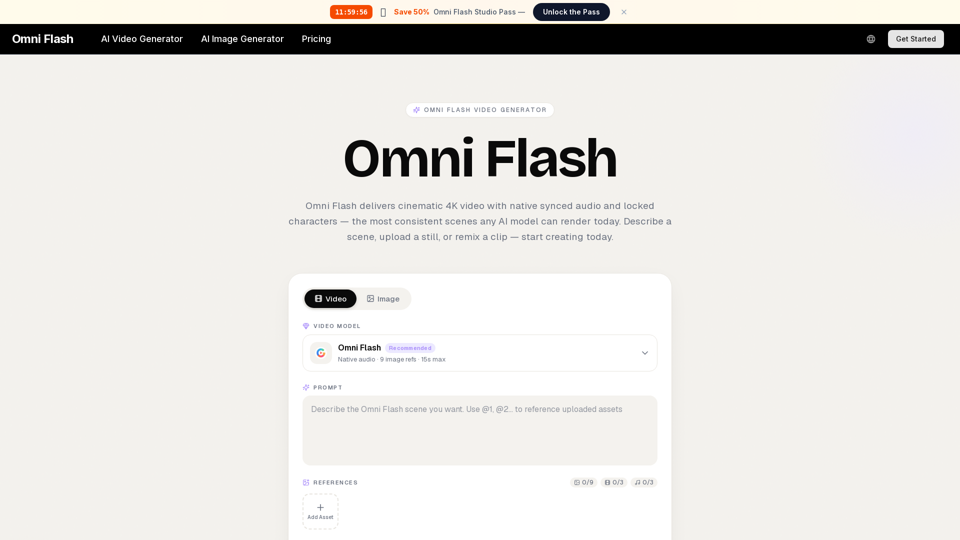
Omni Flash AI is a groundbreaking AI-powered video generation platform designed to transform creative ideas into stunning visual narratives. It empowers users to produce cinematic 4K videos with unparalleled consistency, ensuring characters remain locked and audio is perfectly synchronized. Whether starting from a simple description, an image, or an existing clip, Omni Flash AI provides a seamless and intuitive experience for bringing complex scenes to life. This innovative platform streamlines the video production process, offering a unified solution for creators to achieve broadcast-ready content with remarkable ease and efficiency.

Omni Flash AI -Features

Omni Flash AI Features

Core Capabilities

  • Unified Multimodal Engine: Processes text, images, and audio simultaneously in a single pass to produce synchronized video.
  • Cinematic 4K Output: Generates high-resolution video, with current plans offering up to 1080p resolution and the capability for 4K masters.
  • Native Synced Audio & Lip-Sync: Automatically generates and synchronizes audio, including realistic lip-sync for characters.
  • Locked Character Consistency: Maintains consistent character appearance (face, wardrobe, brand assets) across multiple shots and generations.
  • Cinematic Frame Composer: Understands and applies film grammar, including focal length, depth of field, rule-of-thirds, and motivated lighting.
  • Director-Grade Control: Users can steer the AI using camera language (e.g., tracking shots, racks, dollies, close-ups).
  • Fast Iteration Loop: Provides previews in under a minute, enabling rapid experimentation and refinement.
  • Style Memory: Allows users to save visual styles (palette, grain, motion feel) as presets for consistent application.
  • Conversational Editing: Refine video shots through natural language chat commands (e.g., "hold the close-up two beats longer").
  • Studio-Safe Outputs: All renders come with a commercial-use license, watermark-clean masters, and provenance metadata.
  • Simplified Workflow: A three-step process: 1) Write or upload a starting point, 2) Omni Flash directs and renders a preview, 3) Refine and publish.
  • Generation Parameters: Supports up to 9 image references and generates clips with a maximum length of 15 seconds.

Input Methods

  • Multimodal Input: Accepts text descriptions (prompts), image uploads (still-to-video), or existing video clips (remixing) as starting points.

Key Benefits

  • Unprecedented Efficiency: Rapid generation and iteration cycles significantly reduce production time and effort.
  • High-Quality Visuals: Delivers cinematic 4K video with professional-grade visual fidelity.
  • Seamless Audio Integration: Native synced audio and lip-sync capabilities ensure a polished and immersive experience.
  • Creative Freedom & Control: Offers advanced directorial control and conversational editing, empowering users to realize precise creative visions.
  • Cost-Effective Production: Reduces the need for extensive equipment, crews, and post-production, making high-quality video accessible.
  • Consistent Branding & Storytelling: Locked character consistency and style memory ensure brand and narrative continuity.
  • Commercial Readiness: Outputs are licensed for commercial use, ready for immediate deployment.
  • Ease of Use: Simplifies complex video production processes, making it accessible to users without extensive editing skills.

Platform Details

  • Web-Based Platform: Operates as a web-based platform.
  • Commercial-Use License: Included with all renders and plans.
  • Credit-Based Pricing Model: Offers Lite, Pro, and Ultra plans with varying credit allowances and generation speeds.
  • AI Image Generation: Included in all plans.
  • No Watermarks: Masters are watermark-clean.
  • Private Generation: Included in all plans.

Omni Flash AI -Frequently Asked Questions

What is Omni Flash AI?

Omni Flash AI is a revolutionary AI-powered video generation platform that creates cinematic 4K videos with native synced audio and consistent characters. It functions as a single multimodal engine, processing text, images, and audio to produce synchronized video without separate rendering steps, replacing the need for multiple tools.

How does Omni Flash AI handle audio in generated videos?

Omni Flash AI integrates native synced audio directly into your videos. The platform plans the shot, draws the frames, and scores the audio together, ensuring that the first preview already feels like a complete take. This allows you to drop the result straight into your edit without needing to re-score.

Can Omni Flash AI maintain character consistency across different shots?

Yes, Omni Flash AI is designed for locked character consistency. You can lock a face, wardrobe, or brand asset once, and Omni Flash will preserve it across every shot, even between separate generations, making it one of the most consistent AI models available today.

What is the maximum length of a video clip generated by Omni Flash AI?

Omni Flash AI can generate video clips up to 15 seconds in length.

What resolution do Omni Flash AI videos output?

Omni Flash AI delivers cinematic 4K video output. For standard plans, the resolution is up to 1080p, with the platform generally aiming for high-quality, broadcast-ready cuts.

Can I use Omni Flash AI output for commercial purposes?

Yes, every Omni Flash AI render comes with a commercial-use license. This includes watermark-clean masters and provenance metadata, making your outputs studio-safe and ready for professional use.

Do I need advanced editing skills to use Omni Flash AI?

No, Omni Flash AI is designed for ease of use, requiring no timeline, plug-ins, or rendering queue. You can direct it using conversational editing, refining your shots by chatting with the AI (e.g., "hold the close-up two beats longer"), and it will rewrite only what you asked for. It offers director-grade control without needing a director's chair.

How does Omni Flash AI compare to other single-purpose video tools?

Unlike most AI video tools that handle only a single slice of the production pipeline, Omni Flash AI is a unified multimodal engine that carries an idea from a blank page to a broadcast-ready cut. It replaces the patchwork of tools creators often stitch together by hand, planning the shot, drawing the frames, and scoring the audio all in one render.

How can I contact Omni Flash AI support?

For support and customer service, you can contact Omni Flash AI at [email protected]. Dedicated support is also available for Ultra plan subscribers.

How do I log in to Omni Flash AI?

You can log in to Omni Flash AI at: https://omniflash.ai/login

How do I sign up for Omni Flash AI?

You can sign up for Omni Flash AI at: https://omniflash.ai/signup
Omni Flash AI -Data Analysis

Latest Traffic Information

  • Monthly Visits

    -

  • Bounce Rate

    0.00%

  • Pages Per Visit

    0.00

  • Visit Duration

    00:00:00

  • Global Rank

    -

  • Country Rank

    -

Visits Over Time

Traffic Sources

  • direct:
    0.00%
  • referrals:
    0.00%
  • social:
    0.00%
  • mail:
    0.00%
  • search:
    0.00%
  • paidReferrals:
    0.00%
More data

Omni Flash AI - Alternative

MakeBanner.ai

MakeBanner.ai - Free AI Banner Maker & Online Banner Design Tool

--
Mango AI Video Generator

Mango AI Video Generator - Transform Text to Video with Mangoanimate's AI-Powered Animation Tool

--
AI VIDEO GENERATOR - MARS AI

AI VIDEO GENERATOR - MARS AI - AI Video Creation Platform for Professional Text-to-Video AI

--
MaxAI.me

MaxAI.me - Chat with Any Webpage, Read Faster, Write Better

--
More Tags about: Omni Flash AI