Product Features of MD File Viewer
Overview
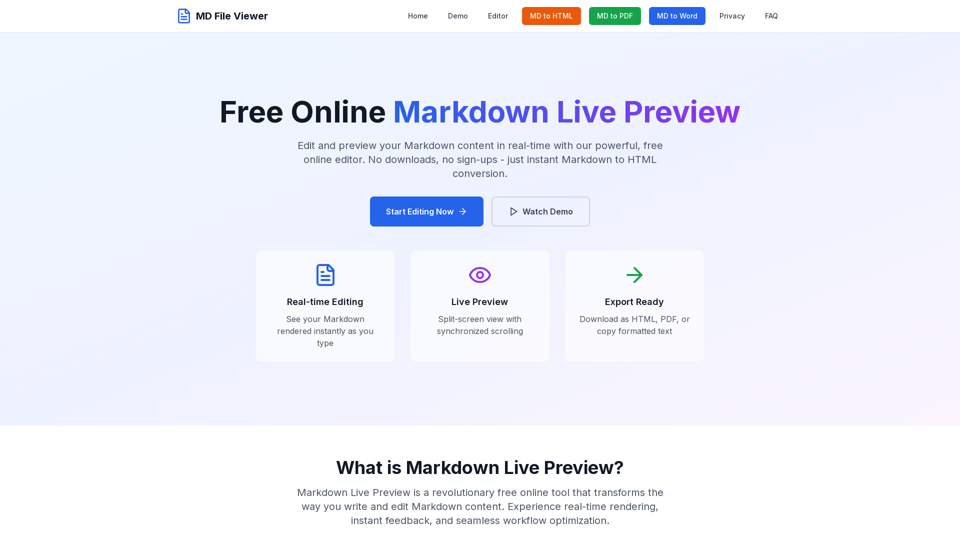
MD File Viewer is a free, online Markdown editor and live preview tool that allows users to write, edit, and instantly preview Markdown content in real-time. It offers a seamless and intuitive experience for converting Markdown to HTML, PDF, or plain text without the need for downloads, installations, or sign-ups. The platform emphasizes speed, privacy, and comprehensive Markdown support, making it an ideal solution for various content creation and documentation needs.
Main Purpose and Target User Group
- Main Purpose: To provide a powerful, free, and accessible online tool for creating, editing, and previewing Markdown content with real-time rendering capabilities. It aims to streamline the content creation workflow by eliminating the need to switch between editing and preview modes.
- Target User Group:
- Writers and Content Creators: Bloggers, article writers, and web content creators who need an efficient tool for drafting and formatting content.
- Developers and Documentarians: Those who create API documentation, README files, technical guides, and code comments.
- Academics and Students: Individuals writing research papers, theses, academic publications, and study notes.
- Teams and Collaborators: Groups needing to create meeting notes, project updates, team documentation, and shared wikis.
- Anyone needing to view or edit MD files: Users looking for a quick, free, and online solution to open and interact with Markdown files.
Function Details and Operations
- Real-time Live Preview: Instantly renders Markdown to HTML as you type, providing immediate visual feedback.
- Comprehensive Markdown Support: Full compatibility with GitHub Flavored Markdown (GFM), including tables, code blocks, strikethrough, task lists, and syntax highlighting for over 100 programming languages (e.g., JavaScript, Python, Java, C++).
- Export Flexibility: Allows downloading content as HTML, PDF, or Markdown files. Users can also copy formatted HTML or plain text with a single click.
- Enhanced Editing Capabilities:
- Multi-cursor editing for simultaneous content modification.
- Intelligent auto-completion for Markdown syntax.
- Bracket matching and automatic indentation.
- Line numbers and code folding.
- Advanced Find & Replace with regular expression support.
- Preview Enhancements:
- Synchronized scrolling between editor and preview panels.
- Multiple preview themes and styling options.
- Table of contents generation for long documents.
- Mathematical equation rendering with LaTeX support.
- Auto-Save & Recovery: Automatically saves work to browser storage, allowing users to resume editing even after closing the browser.
- Customizable Interface: Adjustable panel sizes, theme options, and layout preferences.
- Keyboard Shortcuts: Supports common shortcuts (e.g., Ctrl+B for bold, Ctrl+I for italic) for faster editing.
- Comprehensive Markdown Reference Guide: Provides a guide for basic syntax, extended syntax, and advanced features.
User Benefits
- Time Savings: Real-time preview eliminates constant switching between edit and preview modes, significantly reducing content creation time (up to 70% time savings reported).
- Cost-Effective: Completely free to use with no hidden costs, registration, or usage limits, saving users from subscription fees.
- Enhanced Security & Privacy: All processing happens locally within the browser, ensuring content never leaves the user's device and maintaining complete privacy.
- Increased Productivity: Features like instant rendering, comprehensive Markdown support, and advanced editing tools streamline workflows and improve efficiency.
- Professional Quality Output: Generates publication-ready content with consistent formatting, ensuring high accuracy across various export formats.
- Accessibility & Convenience: Web-based, no installation required, accessible from any device with a modern web browser (mobile-responsive design).
- Improved Collaboration: Markdown's plain text format facilitates seamless collaboration and version control.
Compatibility and Integration
- Web-Based: Works on all modern web browsers (Chrome, Firefox, Edge, Safari, etc.) on any operating system.
- Mobile-Responsive: Adapts perfectly to smartphones, tablets, and desktop computers.
- GitHub Flavored Markdown (GFM) Support: Ensures compatibility with widely used Markdown platforms and tools.
- Export Formats: HTML, PDF, and Markdown files, allowing for easy integration with other applications or publishing platforms.
- Code Syntax Highlighting: Supports over 100 programming languages, making it suitable for developers.
Customer Feedback and Case Studies
- Positive User Ratings: High user satisfaction with an average rating of 4.9/5.
- High Recommendation Rate: 98% of users recommend the platform.
- Proven Productivity Gains: Documentation teams reported reducing creation time by 60%, and freelance writers found it indispensable for formatting articles.
- Wide Adoption: Used by over 2 million active users and has processed over 50 million documents.
- Industry Trust: Trusted by professionals across various sectors, including enterprise, education, publishing, and open-source projects.
Access and Activation Method
- Online Access: Users can access the MD File Viewer directly through their web browser by navigating to the website (mdfileviewer.com).
- No Installation: No software downloads or installations are required.
- No Registration/Account: Users do not need to create an account or register to use the editor.
- Instant Access: Full functionality is available immediately upon visiting the website.