Overview
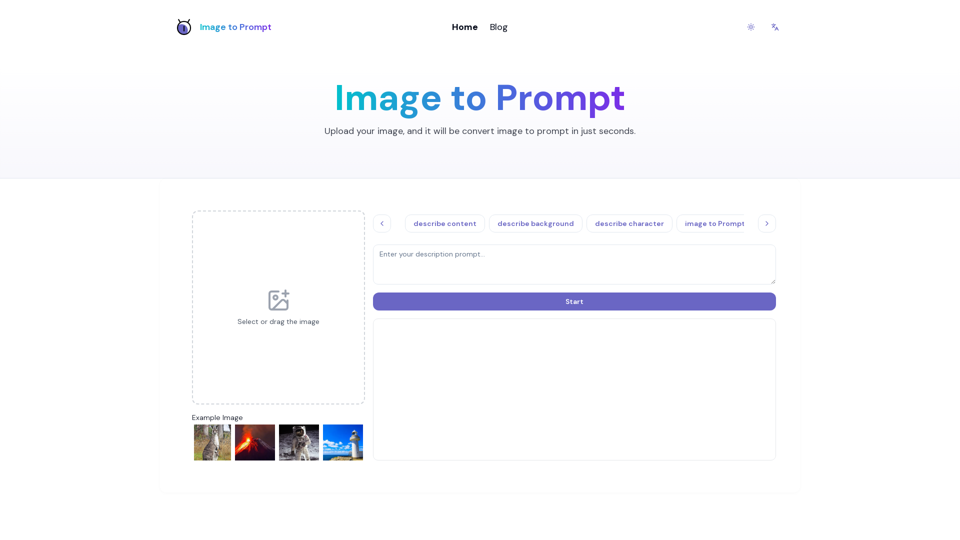
Image to Prompt is a powerful, web-based AI tool designed to bridge the gap between visual inspiration and technical execution. By leveraging advanced computer vision, it analyzes uploaded images and converts them into highly detailed, structured text prompts.
Main Purpose and Target User Group
Main Purpose
To eliminate the guesswork in AI image generation by providing accurate, descriptive text prompts derived directly from reference images.
Target User Group
Ideal for digital artists, visual designers, marketing specialists, software engineers, data scientists, educators, and content creators who utilize AI image generators to produce high-quality visual content.
Function Details and Operations
Intelligent Analysis
Uses sophisticated algorithms to identify subjects, lighting, artistic styles, and composition details from uploaded images.
Multi-Model Optimization
Offers specialized prompt generation tailored for leading AI platforms, including Midjourney, Stable Diffusion, FLUX, DALL·E, and Nano Banana.
Simple Workflow
- Upload: Drag and drop or select an image file (JPEG, PNG, etc.).
- Generate: Click the start button to process the image.
- Copy: Retrieve the optimized prompt from the output box for immediate use.
Privacy-First Design
Ensures user security by automatically deleting images from servers immediately after the prompt generation process is complete.
User Benefits
- Boosted Productivity: Dramatically reduces the time spent on trial-and-error prompt engineering.
- Enhanced Creativity: Helps overcome creative blocks by providing fresh, descriptive language for complex visual concepts.
- Improved Communication: Facilitates better collaboration between designers, developers, and stakeholders by translating visual ideas into clear, actionable text.
- Cost-Effective: Provides a professional-grade tool that is 100% free with unlimited generations.
Compatibility and Integration
Cross-Platform Support
The generated prompts are fully compatible with major text-to-image AI models such as Midjourney, Stable Diffusion, FLUX, and DALL·E.
Versatile Input
Supports standard image formats, allowing for the analysis of design sketches, photographs, and complex visual data.
Access and Activation Method
- No Barriers to Entry: The tool is completely free to use.
- No Registration Required: Users can access all features immediately without the need to create an account or log in.
- Web-Based Access: Simply visit https://imagetoprompt.org/ to start generating prompts instantly from any browser.