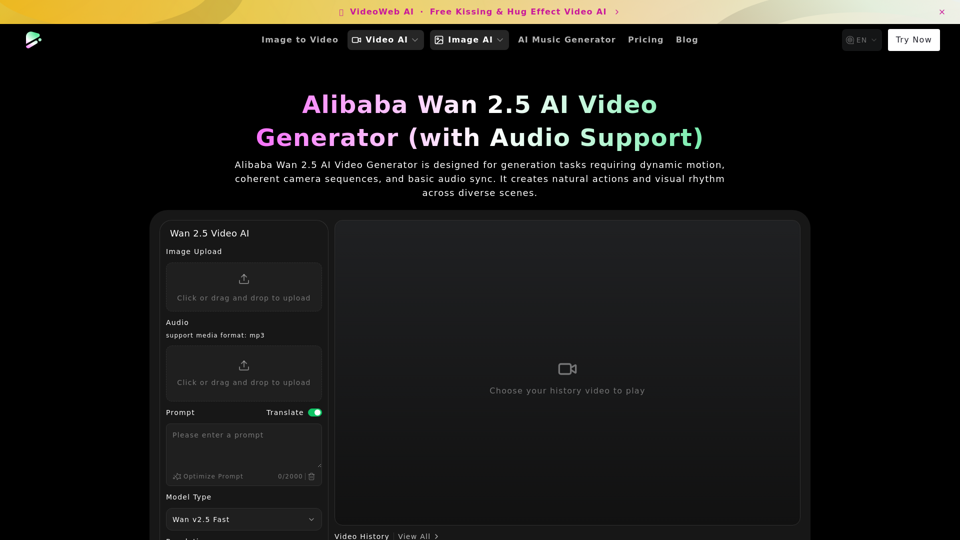
Overview
Google Veo 3.1 AI is an advanced AI video generation tool designed to create high-quality videos with dynamic motion, coherent camera sequences, and integrated audio. It leverages sophisticated AI models to produce natural actions and visual rhythm across diverse scenes, making it a powerful asset for creative professionals and content creators.
Main Purpose and Target User Group
The primary purpose of Google Veo 3.1 AI is to enable users to generate compelling video content quickly and efficiently, with a focus on dynamic motion, scene depth, and synchronized audio. It is ideal for:
- Content Creators: Individuals and teams looking to produce engaging short-form videos, social media content, or promotional materials.
- Filmmakers and Animators: Professionals seeking to rapidly prototype scenes, explore different visual narratives, or generate animated sequences.
- Marketers: Businesses aiming to create dynamic advertisements, product demonstrations, or explainer videos.
- Educators: Those who need to develop visually rich educational content or presentations.
Function Details and Operations
Google Veo 3.1 AI offers a comprehensive suite of features for video generation:
-
Synchronized Video & Audio Output
Generates video and a corresponding audio track simultaneously, ensuring seamless alignment of pacing and rhythm. -
Dynamic Motion Expression
Excels in creating scenes with significant movement, transitions, and action, maintaining stable subjects even during complex motion. -
Scene Depth & Spatial Structure
Delivers natural scene transitions and depth, suitable for shots with distinct changes in environment and perspective. -
Coherent Actions
Ensures that character or object movements follow clear logic, supporting stronger visual storytelling. -
Multi-Environment Adaptability
Consistently stable in various settings, including cityscapes, indoor environments, and natural landscapes, allowing for diverse creative experimentation. -
Natural Action Connections
Produces continuous and smooth motion with lifelike pose transitions, ideal for creating consecutive shots. -
Flexible Directional Exploration
Enables rapid generation and comparison of multiple solution paths from a single descriptive prompt. -
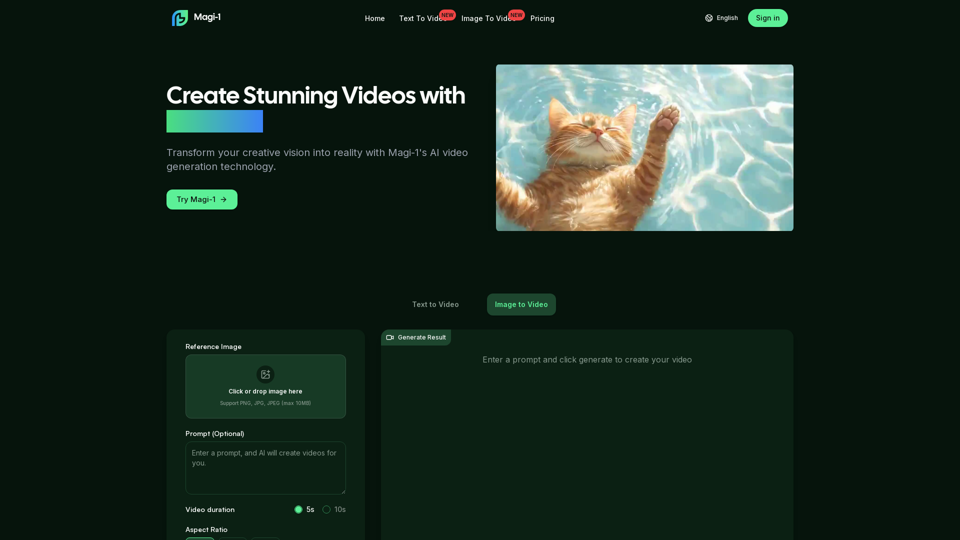
Image and Audio Upload
Users can upload main subject images and audio files to serve as foundational elements for video generation. -
Prompt-Based Generation
Utilizes detailed prompts to describe subject movement, spatial relationships, and pacing style, guiding the AI's creative output. -
Resolution Options
Supports various output resolutions, including 720p and 1080p, to suit different project requirements. -
Duration Control
Allows users to specify video durations, typically 5s or 10s, for focused content creation. -
Aspect Ratio Selection
Offers common aspect ratios like 16:9 and 9:16 for versatile platform compatibility.
User Benefits
- Accelerated Content Creation: Significantly reduces the time and effort required to produce high-quality video content.
- Enhanced Visual Storytelling: Enables the creation of videos with natural motion, coherent actions, and compelling scene depth.
- Seamless Audio-Visual Integration: Eliminates the need for extensive post-production syncing by generating synchronized video and audio.
- Creative Flexibility: Supports diverse environments and action types, fostering broad creative exploration.
- Cost-Effective Production: Lowers the barriers to entry for video production, making advanced tools accessible to a wider audience.
- Rapid Prototyping: Allows for quick generation and iteration of video concepts, aiding in the development process.
Compatibility and Integration
Google Veo 3.1 AI is designed to be accessible through web-based platforms, suggesting broad compatibility across various operating systems and devices with internet access. While specific integration details are not provided, its nature as an AI video generator implies potential for:
- API Integration: Possible future integration with other creative suites or content management systems via APIs.
- Standard Output Formats: Generates videos in widely compatible formats for easy use in editing software, social media, and websites.
Customer Feedback and Case Studies
The emphasis on "dynamic motion, coherent camera sequences, and basic audio sync" suggests it would be well-received by users looking for:
- Narrative Shots with Ambient Sound: Useful for quickly building scenes with environmental audio, such as walking or transitional sequences.
- Multi-Space Action Sequences: Ideal for exploring camera movements through various settings.
- Behavior-Driven Clips: Facilitates the production of action demos or story segments with natural character/object movements.
- Audio-Visual Sync Testing: Helps users quickly assess and refine the pacing and sound of their creative options.
Access and Activation Method
Access to Google Veo 3.1 AI is typically provided through a web-based interface. Users would likely:
- Visit the Platform: Navigate to the designated website (e.g., dreammachineai.online).
- Upload Assets: Upload images and audio files as required.
- Enter Prompts: Provide descriptive text prompts to guide the AI.
- Select Parameters: Choose resolution, duration, and aspect ratio.
- Generate Video: Initiate the generation process.
- Review and Download: Preview the generated video and download the final output.