ManualFig AI
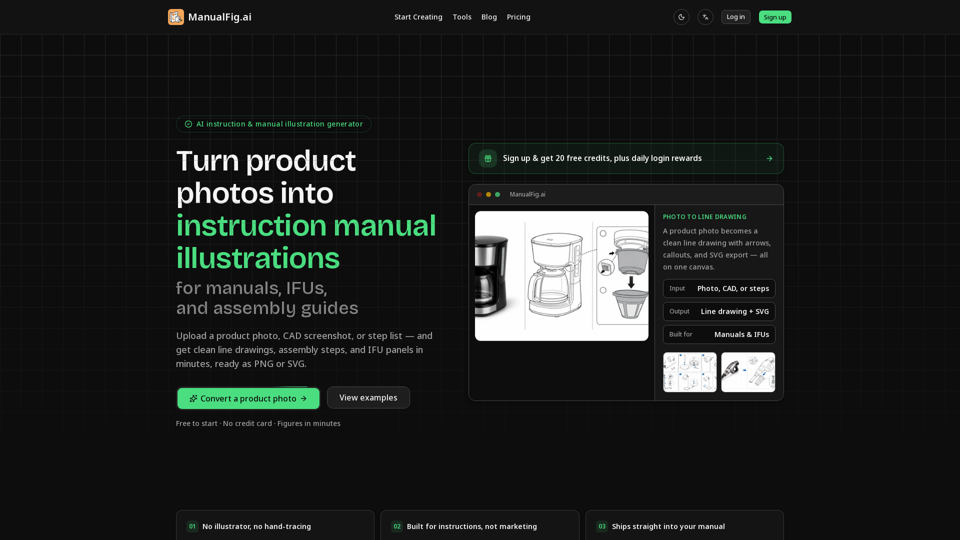
Overview: ManualFig AI is a specialized AI-powered visual documentation tool designed to transform product photos, CAD screenshots, and written step lists into professional-grade technical illustrations. It automates the creation of clean line drawings, assembly steps, and IFU (Instructions for Use) panels, ensuring technical documentation is clear, consistent, and compliance-ready.
Main Purpose and Target User Group: ManualFig AI streamlines the production of technical manuals, packaging inserts, and assembly guides. It is built for technical writers, product managers, engineers, and e-commerce sellers who need high-quality instructional visuals without design skills. It is ideal for teams working on consumer electronics, furniture assembly, medical devices, and appliance maintenance.
Function Details and Operations:
- AI-Powered Conversion: Automatically converts raw product photos or CAD files into clean, technical line art while maintaining accurate product proportions.
- Instructional Elements: Automatically adds numbered steps, directional arrows, part callouts, zoom details, and warning symbols.
- Compliance-Ready Panels: Generates "correct vs. incorrect" comparison panels, hazard warnings, and safety-focused illustrations required for IFUs and SOPs.
- Interactive Editing: Users can refine any generated figure using simple text prompts, allowing for rapid iterations without restarting the design process.
- Version Control: Keeps all project references, prompts, and generated versions in one canvas for easy comparison and consistency.
User Benefits:
- Cost and Time Efficiency: Reduces the cost of hiring external illustrators and cuts production time from days to minutes.
- Visual Clarity: Produces functional, easy-to-follow diagrams that reduce customer support tickets and product returns.
- Style Consistency: Ensures a uniform aesthetic across all manuals, inserts, and help center articles.
- Scalability: Allows for easy updates to documentation whenever a product design changes, simply by reusing references and prompts.
Compatibility and Integration:
- Input Formats: Supports product photos, CAD screenshots, supplier images, sketches, and written procedure lists.
- Output Formats: Provides high-quality PNG and SVG exports, ensuring files are ready for immediate use in professional documentation systems, layout software, and print media.
- Vector Support: SVG export allows for scalable, high-resolution graphics that remain crisp at any size.
Access and Activation Method: Users can access the tool directly at http://manualfig.ai. The platform offers a "Free to start" model where users can sign up to receive starter credits. The service operates on a credit-based system with various subscription tiers (Starter, Pro, Business) tailored to the volume of documentation needs. No credit card is required for the initial trial.