Overview
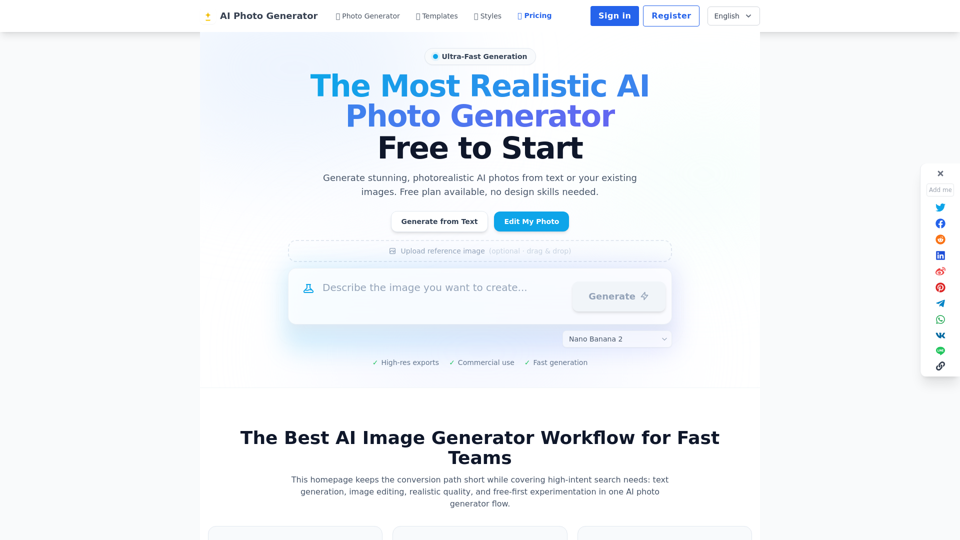
AI Photo Generator is an online platform designed to create realistic and high-quality AI-generated photos from text prompts or existing images. It emphasizes speed, photorealism, and commercial usability, offering a free-to-start model to encourage experimentation. The platform aims to streamline visual content creation for various professional needs, from marketing campaigns to product visuals.
Main Purpose
To provide a fast, efficient, and high-quality solution for generating photorealistic AI images and editing existing photos, reducing the need for traditional photography and extensive post-production.
Target User Group
- Marketing teams and agencies
- E-commerce businesses
- Content creators and designers
- Individuals needing professional-grade visuals (e.g., for social media, personal branding)
- Anyone requiring fast iteration and high-volume visual content
Function Details and Operations
Text-to-Image AI Generation
- Generate images from detailed text prompts
- Model presets available for specific workflows (ad, portrait, e-commerce)
- Focus on realistic lighting, material detail, and prompt fidelity
- Fast variant generation for A/B testing and ideation
Image-to-Image AI Editing
- Upload a reference photo and apply edits using natural language prompts
- Preserves style continuity while changing backgrounds, composition, mood, or product context
- Controlled edits for composition, props, color, and scene framing
- Image expansion and variation-ready workflow for multi-format publishing
AI Photo Editor (Online)
- Browser-based workflow, no installation required
- Free-first testing path for initial experimentation
- Model and quality controls for balancing speed and detail
Specialized AI Generators
- AI Face Generator: For profile-ready portraits and consistent facial outputs
- AI Plant Photo Gallery: Generates realistic botanical photography
- AI Poster Generator: Creates campaign posters and high-contrast layouts
- AI Image Expander: Extends scenes for different aspect ratios while preserving coherence
Workflow Paths
- Path A – Text to Image: Describe subject, framing, lighting, and goal; choose model/quality; generate and compare variants
- Path B – Image to Image: Upload reference; add edit instructions; generate refined variants
High-Resolution Exports
Supports exporting generated images in high resolution.
Commercial Use Rights
Allows users to use generated images for commercial purposes.
Fast Generation
Aims for typical first results in under 60 seconds.
User Benefits
- Cost-Effective: Reduces the need for expensive photoshoots and extensive post-production
- Time-Saving: Ultra-fast generation and iteration cycles accelerate content creation
- High Quality & Realism: Produces photorealistic images suitable for professional use
- Ease of Use: No design skills needed, with intuitive browser-based tools
- Flexibility: Supports both generating from scratch and editing existing images
- Consistency: Helps maintain brand identity and style across various visuals
- Scalability: Enables rapid production of large volumes of visual content for campaigns and product listings
- Free-First Approach: Allows users to test and validate concepts without initial investment
Compatibility and Integration
Browser-Based
Accessible online via any web browser, requiring no software installation.
Access and Activation Method
Online Platform
Accessible directly through the website aiphotogenerator.dev.
Free Plan Available
Users can start generating images for free.
Subscription Offers
Limited-time subscription offers are available for expanded features and usage.
Sign-in/Register
Requires user account creation to access full functionalities.