See 3D AI

See 3D AI - Free 3D Model Generation & AI Art with See3d.art

See 3D AI

See 3D AI -Introduction

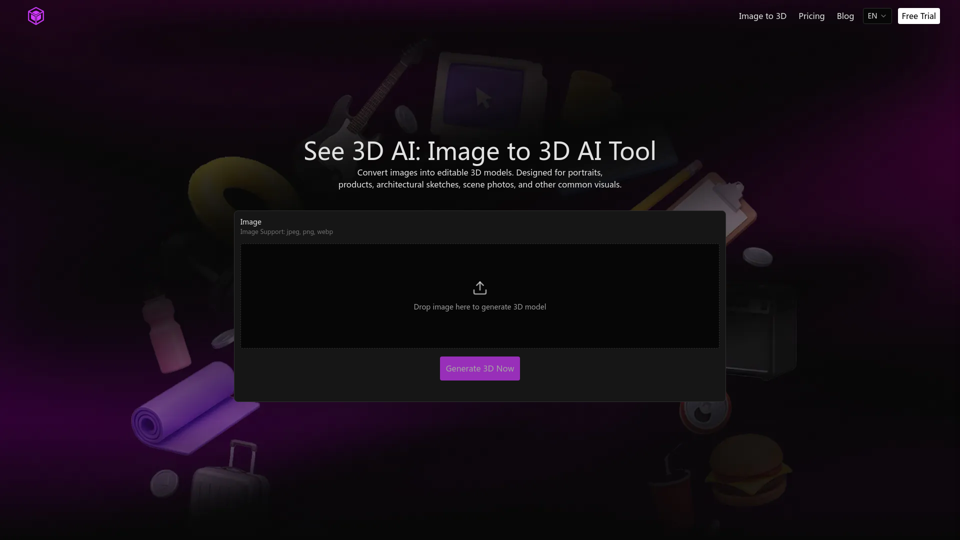
See 3D AI is an innovative platform that transforms your 2D images into editable 3D models. Leveraging advanced AI, it meticulously analyzes images to reconstruct them into realistic 3D assets. Whether you're working with portraits, product shots, architectural sketches, or scene photos, See 3D AI provides a seamless solution for generating high-quality 3D models. This tool is designed to streamline your creative workflow, offering a powerful yet accessible way to bring your visuals to life in three dimensions.

See 3D AI -Features

See 3D AI

Overview

See 3D AI is an innovative online tool that leverages artificial intelligence to convert 2D images into editable 3D models. It simplifies the 3D creation process, making it accessible to users without extensive 3D modeling experience. The platform focuses on efficiency, reliability, and accessibility, offering a complete workflow from image recognition to model export.

Main Purpose and Target User Group

The main purpose of See 3D AI is to automate and streamline the creation of 3D models from 2D images. It aims to reduce the technical barriers and time commitment typically associated with traditional 3D modeling.

Target User Group

  • Designers and Artists: Seeking to quickly generate 3D assets from their 2D concepts or sketches.
  • Product Developers: Needing to visualize products in 3D from photographs.
  • Architects and Interior Designers: Converting architectural sketches or scene photos into 3D models.
  • Game Developers: Generating game assets from existing imagery.
  • Educators and Students: Learning about 3D modeling and visualization.
  • Businesses: Looking for cost-effective and efficient ways to create 3D content for marketing, e-commerce, or presentations.
  • Hobbyists and Enthusiasts: Interested in exploring 3D creation without a steep learning curve.

Function Details and Operations

  • Image to 3D Conversion: Core functionality to transform 2D images into editable 3D models.
  • Image Subject Recognition: Automatically identifies the main object in an image, distinguishing it from the background and extracting contours for primary shape information.
  • Automatic Mesh Generation: Builds a base 3D mesh based on recognized contours and structure, maintaining original proportions and ensuring accurate volume.
  • Surface Texture Mapping: Extracts color and surface details from the original image and applies them to the 3D model for realistic appearances.
  • Multi-Format Model Export: Supports exporting generated 3D models to standard 3D formats for compatibility with various 3D software, rendering tools, and platforms.
  • One-Click Generation Workflow: Highly automated process from image upload to model generation, allowing users to obtain 3D results with minimal steps.
  • Image Support: Accepts common image formats such as JPEG, PNG, and WebP.
  • Editable 3D Models: Generates models that can be further edited and refined.

User Benefits

  • Reduced Manual Modeling Cost: Significantly shortens setup time and eliminates the need to build 3D frameworks from scratch.
  • Efficiency and Speed: Quickly converts images to 3D models, accelerating design and production workflows.
  • Accessibility: Lowers the technical barrier to 3D creation, making it accessible to users without advanced 3D modeling skills.
  • Stable, Reusable Results: Output models adhere to industry standards, facilitating further editing, optimization, or direct use in rendering and animation.
  • Clear Operation Process: Intuitive interface and logical workflow ensure a smooth user experience from image upload to model output.
  • Versatility: Supports various image types, including portraits, products, architectural sketches, and scene photos.
  • Commercial Use: Commercial licenses are available with premium plans, allowing generated models to be used for commercial projects.

Compatibility and Integration

  • Standard 3D Model Formats: Exports models in standard formats, ensuring compatibility with a wide range of 3D software, rendering engines, and presentation platforms.

Access and Activation Method

  • Web-Based Platform: Accessible directly through a web browser at see3d.art.
  • Free Trial/Tier: Offers a free tier with daily check-in credits (60 for new users, 20 daily) and limited access to standard models.
  • Subscription Plans: Provides monthly and yearly premium plans (Basic, Popular, Professional) with varying credit allowances, features (e.g., advanced templates, watermark removal, private generation, priority support, commercial license), and processing priorities.
  • One-Time Credit Purchases: Option to purchase additional credits (Basic, Popular) for one-time use.
  • Secure Payments: All payments are processed securely via Stripe.
  • Account Creation: Requires user registration to access features and manage credits.
See 3D AI -Frequently Asked Questions

What is See 3D AI?

See 3D AI is an AI-powered tool that converts 2D images into editable 3D models. It's designed for various visuals, including portraits, products, architectural sketches, and scene photos.

How does See 3D AI convert an image to 3D?

See 3D AI uses advanced image analysis and spatial reconstruction to identify structure, contours, and depth within a 2D image. It then transforms this information into a 3D model with realistic volume and structural details.

What types of images does See 3D AI support?

See 3D AI supports common image formats such as JPEG, PNG, and WebP.

What are the core features of See 3D AI?

See 3D AI offers several core features, including:

Image Subject Recognition

Automatically detects and extracts the main object's contours.

Automatic Mesh Generation

Builds a base 3D mesh maintaining original proportions.

Surface Texture Mapping

Extracts and maps color and surface details from the original image to the 3D model.

Multi-Format Model Export

Supports exporting to standard 3D model formats for use in various software.

One-Click Generation Workflow

Highly automates the process from image upload to model generation.

What are the advantages of using See 3D AI?

See 3D AI offers several advantages, including:

Reduced Manual Modeling Cost

Automates the creation of base structures, saving time and effort.

Stable, Reusable Results

Generates industry-standard models that are easy to edit, optimize, or use directly.

Clear Operation Process

Provides an intuitive interface and logical workflow for easy use.

How long does it usually take to generate a 3D model with See 3D AI?

The website mentions "Fast queue" and "Fastest generation" for premium plans, suggesting that generation time can vary based on your subscription level and potentially the complexity of the image.

How accurate is the generated result from See 3D AI?

See 3D AI leverages advanced AI to identify structure, contours, and depth, aiming to produce 3D models with realistic volume and structural information. The examples provided on the website demonstrate a high level of accuracy in converting 2D images into detailed 3D models.

Can the generated models be used for commercial projects?

Yes, See 3D AI's paid plans (Yearly - Basic, Popular, Professional, and One-Time Credit packs) include a Commercial License, allowing you to use the generated models for commercial projects.

What pricing plans does See 3D AI offer?

See 3D AI offers monthly and yearly subscription plans, as well as one-time credit packs. Plans vary in the number of credits, access to advanced features, processing priority, and commercial license inclusion. There is also a free option with daily check-in credits.

Does See 3D AI offer a free trial?

Yes, See 3D AI offers a free option with 60 credits for new users and 20 credits for each daily check-in. This provides limited access to standard models and slower processing priority.

What payment methods does See 3D AI accept?

All payments are secured via Stripe.

See 3D AI -Data Analysis

Latest Traffic Information

  • Monthly Visits

    -

  • Bounce Rate

    0.00%

  • Pages Per Visit

    0.00

  • Visit Duration

    00:00:00

  • Global Rank

    -

  • Country Rank

    -

Visits Over Time

Traffic Sources

  • direct:
    0.00%
  • referrals:
    0.00%
  • social:
    0.00%
  • mail:
    0.00%
  • search:
    0.00%
  • paidReferrals:
    0.00%
More data

See 3D AI - Alternative

PixVerse AI

PixVerse AI - AI Video Creator & Generator App on App Store & Google Play

--
Image to Video AI

Image to Video AI - Flux AI Video Generator | Online Image to Video AI Generator

--
Flux AI Image Generator

Flux AI Image Generator - Free Online Advanced AI Image Generator

--
Free AI Photo Face Swap

Free AI Photo Face Swap - Bestimage AI Tools for Secure DeepFake Image Generation

--
More Tags about: See 3D AI