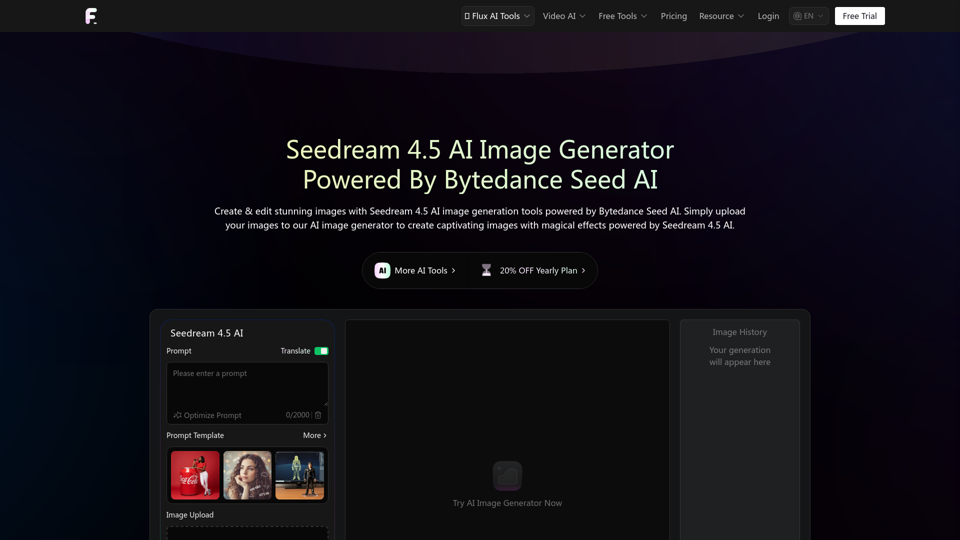
Overview
Seedream 4.5 AI Image Generator, powered by Bytedance Seed AI, is an advanced image generation and editing tool designed for creating stunning, high-quality visuals. It represents a significant evolution in AI model capability, focusing on reference-based image synthesis, visual coherence, robust character consistency, and adaptive editing workflows. This tool is built to provide a foundation for professional content creation and creative exploration, offering enhanced realism, precise control, and efficient workflow.
Main Purpose and Target User Group
The main purpose of Seedream 4.5 is to enable users to generate and edit captivating images with magical effects, ensuring high quality, consistency, and realism. It aims to streamline creative processes for professionals and enthusiasts alike.
- Professional Content Creators: Ideal for film, advertising, design, and e-commerce professionals who require consistent, high-quality visuals for storyboards, product visualization, and marketing materials.
- Artists and Designers: Suitable for character design, concept art, mood boarding, and visual series creation, offering precise control over artistic elements.
- Businesses: Beneficial for generating product photography, marketing assets, and consistent brand imagery.
- Creative Enthusiasts: Users looking to explore advanced AI art generation with intuitive controls and powerful capabilities.
Function Details and Operations
- Advanced AI Image Generation: Utilizes Bytedance Seed AI to create stunning images from text prompts.
- Image Editing with Text: Allows users to modify existing images using natural language descriptions (e.g., "The woman in the picture is drinking coffee.").
- Character Consistency: Maintains stable character appearance, attire, materials, and lighting across multiple frames or images, optimizing facial features and scene structure.
- Background Replacement: Seamlessly changes the background of an image based on user input (e.g., "Change the background of the picture to a forest.").
- Coherent Multi-Image Generation: Ensures visual continuity for sequential compositions, storyboards, and visual series.
- Natural Material & Lighting Representation: Renders realistic textures for skin, hair, fabric, metal, glass, and more, with authentic visuals in complex lighting conditions (backlit, low-light, high-reflection).
- Precise Character Structure: Significantly reduces common AI generation flaws like misaligned limbs or extra fingers, producing natural poses.
- Direct Instruction Control: Enhanced prompt parsing allows for precise adjustments to style weights, background relationships, scene layouts, clothing details, and text placements.
- Prompt Optimization: Features a "Translate Optimize Prompt" function to refine user prompts for better results.
- Image Upload Support: Supports JPEG and PNG formats for input images.
- Ratio and Resolution Control: Offers various aspect ratios (16:9, 21:9, 4:3, 3:2, 1:1, 2:3, 3:4, 9:16, 9:21) and resolutions (2k, 4k).
- Image History: Keeps a record of generated images for easy access and review.
User Benefits
- Enhanced Realism: Produces imagery with sophisticated material, texture, and lighting handling, closely resembling real-life photography.
- Increased Workflow Efficiency: Faster inference speeds compared to previous generations, supporting high-volume creation, frequent adjustments, and batch exploration.
- Consistent Visuals: Ensures continuity in character, lighting, and scene structure across multiple images, crucial for sequential content.
- Precise Creative Control: Offers flexible and direct response to prompt tweaks, allowing users to efficiently switch between themes and styles.
- Reduced Post-Processing: Natural material and lighting representation minimizes the need for extensive post-production.
- Versatile Applications: Suitable for a wide range of uses, from concept design and storyboarding to product visualization and character exploration.
- User-Friendly Interface: Simple three-step process (Enter Description, Adjust Settings, Generate) makes it accessible for various skill levels.
Compatibility and Integration
- Web-Based Platform: Accessible directly through a web browser, eliminating the need for software installation.
- Integration with Flux AI Ecosystem: Part of the broader Flux AI suite of tools, potentially allowing for seamless transitions between different AI functionalities (e.g., video generation, other image tools).
Access and Activation Method
- Free Trial: Users can try the AI Image Generator for free.
- Subscription Model: A yearly plan is available with a 20% discount, suggesting a subscription-based access for full features or extended usage.
- Online Access: The tool is accessed directly through the Flux-AI.io website.
- Login/Account Creation: Users likely need to create an account to save image history and access premium features.